Buying a used printer: check page count, toner and drivers
 13 min read
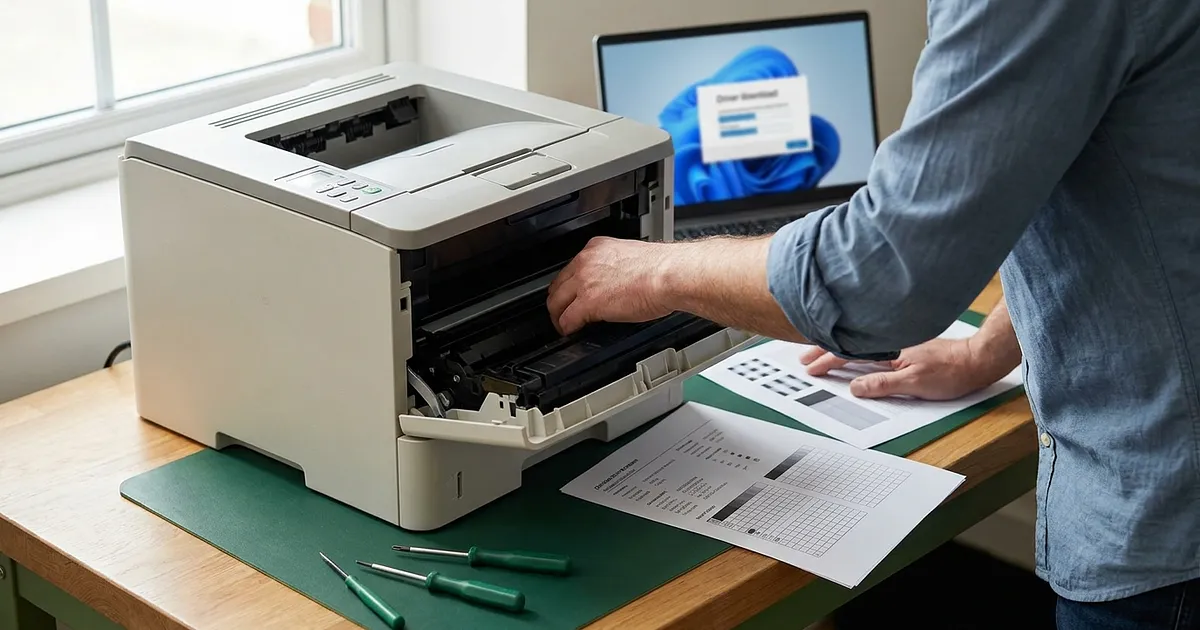
A low asking price tells you very little about a printer. Before buying a used printer, ask for four pieces of evidence: the exact model number, a status report generated by the machine, a fresh test print, and a support route for your operating system. If one is missing, you aren't buying cheap office hardware. You're betting on toner, worn parts and old software.
Page count alone can't settle the decision. A machine with a higher count may have a clear service history and suitable parts. A supposedly lightly used printer may arrive with dried ink, slipping rollers or scanner software that stopped receiving support years ago. The number matters, but the evidence around it matters more.
A short check before you pay
- Match the model and serial numbers on the label and machine-generated report.
- Ask for a fresh test print and proof of the scan and duplex functions you need.
- Copy remaining-life readings, active faults and part numbers from the report.
- Calculate the cash due now: purchase price plus required toner, due parts, delivery and foreseeable service.
- Check support for your operating system, connection and each required function with the manufacturer.
- For a machine with storage, establish the model-specific erasure route.
Reject the offer if the exact model is unknown, a required function cannot be shown working, or an active fault has no priced remedy. For sensitive use, unexplained stored data is another reason to walk away.
Ask the seller for evidence before you pay
Exterior photos aren't enough. Scratches on a case are usually easier to judge than a missing driver or a nearly exhausted imaging drum. Ask for records that can be tied to the machine being sold.
Start with the rating plate. You need the complete model number, any regional suffix and the serial number. A label such as “LaserJet Pro” or “business printer” is too broad. Network hardware, duplex units, scanners and software support may differ within one model family.
Next, request an untouched configuration, usage or consumables report printed from the device menu. Depending on the model, it may show total pages, colour and mono pages, duplex use, paper sizes, remaining-life readings or errors. Printers don't all expose the same counters. That's exactly why a report is more useful than a number typed into a listing.
A fresh test print belongs in the evidence pack too. Ask for text, graphics, a colour area from a colour printer, and a copy or scan from a multifunction device. Repeating dots, bands, ghost images, skewed feeding, loose toner or paper jams are warnings. They don't prove which component has failed. A seller who labels every streak as “just the toner” may be guessing, or trying to make the repair sound cheaper.
You can copy this message:
Please send a photo of the complete model and serial label, the current machine-generated report, and a fresh test print. Please list the part numbers and remaining-life readings for every consumable or maintenance item shown. For a multifunction printer, also state which scan functions were tested and how stored data was erased.
When the seller is a business, check returns, statutory rights and any voluntary guarantee as separate matters. Our guide to warranty and statutory warranty on refurbished devices explains that distinction. Documentation matters even more in a private sale, where an easy return may not be part of the deal.
Read printer page count in context
A lot of buying advice searches for a magic threshold: below a certain page count is good, above it is bad. There is no credible limit that works across all models. A compact home printer, a workgroup machine and a large office MFP are built for different jobs. Age, paper dust, media, long idle periods and previous maintenance also change the picture.
Read the counter beside four other facts: the exact model, remaining-life values for reported parts, the current print quality and replacement-part availability. That's less convenient than one headline number. It is also far more useful.
What the report may reveal
Some printers split totals into colour and mono pages. Others report simplex and duplex, copies, scans or paper sizes. A high share of colour output has a different cost profile from mostly black text. Lots of short jobs can also affect toner use and calibration differently from long runs.
Check whether the serial number, or at least the exact model identifier, matches the rating plate. A screenshot with no device identity is weak evidence. A generated report with the right identifier, a matching plate and a new test print form a much better record.
Wear parts beat an attractive counter
On one laser printer, toner, imaging drum, fuser, transfer belt, feed rollers and waste-toner container may all be separate parts. On another, the drum sits inside the cartridge, while a transfer belt exists only on the colour version. The manual and parts catalogue for the exact model tell you what exists and what can be replaced.
| Component | Evidence to request | Reason to stop and ask again |
|---|---|---|
| Toner or cartridge | Part number, size, remaining level and what's included | Seller won't say whether it is starter, empty or third-party toner |
| Imaging drum | Status report and part number if separate | No remaining-life information and no replacement source |
| Fuser | Error status, properly fixed test print and service route | Toner rubs off or ghost images repeat |
| Paper path | Test each tray, manual feed and duplex | Skew, multiple feeds or jams |
| Waste toner or maintenance box | Model-specific status | The part is omitted or unavailable |
This checklist changes for inkjets. Nozzle tests, printhead condition, cleaning cycles and a maintenance box or waste-ink system may matter more. A low page count won't rescue a printer that sat unused long enough to develop printhead trouble.
To turn these technical checks into a complete purchase decision, our step-by-step refurbished buying process runs from assessing the listing to checking the device after delivery.
Calculate toner cost per page
Cartridge price on its own is a poor comparison. A cheaper cartridge may carry a much lower declared yield. For a first comparable baseline, divide the documented cartridge price by the manufacturer's declared yield.
Here is an explicitly hypothetical example, not a statement of market prices. If a black cartridge costs EUR 80 and carries a declared yield of 3,000 pages, the calculation is 80 / 3,000 = EUR 0.0267. That is about 2.67 euro cents per declared page. The method uses a standardized yield as its denominator. Lexmark's explanation of ISO page yields notes that coverage, print quality, job size, calibration, paper and other conditions change real-world output.
ISO yield is a comparison baseline, not a promise for your desk. Short print jobs, graphics or colour may produce a different result. Startup and calibration can consume material without producing the same number of visible pages.
Colour needs its own calculation
A colour laser printer can't be costed from the black cartridge alone. Check the declared yields and documented prices for cyan, magenta, yellow and black under the manufacturer's stated method. For colour laser cartridges, the linked Lexmark explanation identifies ISO/IEC 19798 and a defined test-page suite. A casual coverage assumption is no substitute for the manufacturer's declared method.
Periodic components come next. If the drum is separate, its documented price can be divided by the manufacturer's stated replacement cycle. A maintenance kit or waste-toner container can be handled the same way, but only when the exact model has published data. No stated cycle means no invented allowance.
A useful comparison sheet needs more than two rows:
| Cost item | Offer A | Offer B |
|---|---|---|
| Printer price | enter value | enter value |
| Toner needed immediately | enter value | enter value |
| Parts due now according to status | enter value | enter value |
| Declared mono cost per page | calculate | calculate |
| Colour cost for your print mix | calculate | calculate |
| Included supplies and proven remaining life | describe | describe |
Starter toner is a particularly annoying detail. Its yield may differ from a regular cartridge, and “toner included” says nothing about what remains. Ask for the part number and status reading. A slightly dearer printer with documented usable toner may beat the bargain that needs supplies as soon as it arrives.
Paper and electricity belong in a full running-cost calculation, but not as made-up flat rates. As an extra model check, you can look for the exact product through the ENERGY STAR imaging-equipment product finder and confirm whether automatic duplex printing is fitted. Neither point replaces a calculation based on your tariff and usage.
Verify driver support for the exact model
“Windows compatible” means little without a model, operating-system version and connection type. Multifunction devices make the problem worse. Printing may work while scanning still depends on an old manufacturer application.
As checked on October 11, 2026, Microsoft's official printer-driver servicing plan says Windows has preferred its built-in IPP Class Driver since July 1, 2026. Since January 15, 2026, new drivers for Windows 11 and Windows Server 2025 generally cannot be published to Windows Update, though case-by-case exceptions remain. From July 1, 2027, only security-related third-party driver updates are due there. Existing drivers and separate vendor packages remain installable. An old driver CD is still a poor support plan.
Open the manufacturer's support portal first. Search the complete model number including its suffix, choose your operating system, and inspect firmware, print drivers, scan software and utilities separately. A similar name from the same family isn't evidence.
Standard-based directories provide a useful second check. The Printer Working Group describes IPP Everywhere as printing without vendor-specific software. For Windows and Android, search the Mopria certified product list. Apple asks buyers to search its AirPrint list by brand and exact model. A USB-only note isn't the same as wireless printing from an iPhone or iPad.
For ChromeOS, Google's Chromebook printer setup guide covers automatic setup and possible manufacturer, model or PPD details. On Linux, IPP Everywhere and manufacturer packages are possible routes. Distribution and processor architecture still matter, and scanning may need eSCL or SANE. Put plainly, a working print path doesn't prove the scan path.
This resembles the Windows 11 check for refurbished laptops. Exact hardware decides support there. For a printer, the deciding combination is model, connection and each function you plan to use.
A practical compatibility check before payment
The strongest proof is a test with your device and intended connection. At collection, you may be able to add the printer over USB or in an isolated test network. For delivery, the seller should at least identify the exact support page and state which functions were tested.
For an MFP, ask separately about printing, flatbed scanning, the document feeder and duplex scanning if you need them. Fax and scan-to-email are separate workflows again. You don't need to test every menu item, only the functions you're paying to use.
A working print path still does not prove the scan path. That distinction decides whether a multifunction printer works for the job you are buying it to do.
Network settings, old data and the final decision
A used multifunction printer is a small networked computer. It may retain Wi-Fi settings, address books, scan destinations, mail-server details, user accounts or stored jobs. Don't connect it straight to your home or company network.
The first boot belongs in a controlled environment. Follow the manual for a model-specific factory or network reset, set a new administrator password, and install firmware only from the official source. Remove old wireless networks, static addresses, proxy settings, cloud accounts, and SMB, FTP, SMTP or LDAP destinations. Services you don't need should remain disabled.
A factory reset still isn't proof that internal storage was securely erased. NIST SP 800-88 Revision 2 ties media sanitization to the sensitivity of the information stored. Germany's BSI module CON.6 on erasure and destruction also addresses suitable erasure processes. Those sources provide principles, not proof of how a particular printer resets itself. If the MFP has an internal hard drive, SSD or stored jobs, the model manual and its secure-erase or disk-overwrite function are what matter. Our review of what a factory reset actually erases explains the same distinction in more detail.
For sensitive use, an unexplained storage path is a good reason to reject the offer. The same goes for somebody else's management account, a lock that can't be removed, or firmware that is no longer available from an official source.
Green, amber or red?
| Check | Green | Amber | Red |
|---|---|---|---|
| Model | Exact identity and suitable support page | Old vendor package, standard route still unclear | Model or required function can't be confirmed |
| Counter | Device report, life values and test print agree | Total counter only | No report or conflicting details |
| Wear | Parts available and no active fault | One status value is missing | Active fault or unknown replacement route |
| Toner | Part number, yield and included supply documented | Remaining level or starter status unclear | Compatible supply cannot be shown as available |
| Data | Reset and storage erasure documented for the model | Erasure path partly unclear | Foreign account, lock or sensitive storage can't be sanitized |
This guide cannot inspect an individual machine. A red cell in the table means the purchase still lacks a sound basis.
Frequently Asked Questions
Is a refurbished printer worth buying?
Yes, when the model, counter report, test print, consumables and software support can all be verified. Price alone isn't enough. A documented machine with available parts may be better value than a cheaper one with empty toner and no clear driver route.
What is a good page count for a used printer?
There is no credible threshold that applies to every model. Read the count alongside the printer class, remaining life of wear parts, fault status, test print and parts availability. Without that context, it is a clue rather than a verdict.
How do I calculate toner cost per page?
Divide the current cartridge price by the declared yield for that exact product. Calculate mono and colour separately, and add drums or maintenance parts only when their replacement cycles are documented. The result is a comparison baseline, not a guarantee of real yield.
Will an old printer work with Windows 11 or macOS?
It depends on the exact model, operating-system version, connection and function. Check the manufacturer's portal, current firmware and standard support. For multifunction devices, confirm printing and scanning separately.
Does a factory reset erase all data from an MFP?
Not necessarily. A reset may clear network and user settings without proving secure erasure of internal storage. Check the model manual for stored jobs or media, then use the manufacturer's documented erase function where available.
Sources
- Lexmark's explanation of ISO page yields lexmark.com
- ENERGY STAR imaging-equipment product finder energystar.gov
- printer-driver servicing plan learn.microsoft.com
- Printer Working Group describes IPP Everywhere pwg.org
- Mopria certified product list mopria.org
- AirPrint list by brand and exact model support.apple.com
- Google's Chromebook printer setup guide support.google.com
- NIST SP 800-88 Revision 2 csrc.nist.gov
- BSI module CON.6 on erasure and destruction bsi.bund.de