Refurbished Laptop Windows 11: Why TPM 2.0 Makes or Breaks the Deal
 17 min read
Windows 10 stopped getting regular security updates on October 14, 2025. That's straight from Microsoft's own end-of-support page. Even so, StatCounter still had Windows 10 on 30.14% of Windows desktops worldwide in August 2026. A lot of those machines are being replaced right now, often with something secondhand.
So people type "refurbished laptop windows 11" into Google and get a wall of shop pages with filters. Handy for browsing. What those pages won't tell you is whether the laptop behind the little "Windows 11" checkbox actually meets Microsoft's requirements, or whether somebody just forced it on.
That's the whole point of this guide. On a laptop, you basically can't add a missing TPM 2.0 after the fact, and you definitely can't swap in a newer CPU generation. Whatever you don't check before you pay, you usually can't fix after you unbox it.
So we check first.
What does Windows 10 end of support mean for buying a laptop?
A laptop that can only run Windows 10 has had an expiry date since October 2025. It still boots, sure. But every week online without security patches is a little riskier, and online banking or opening email attachments on it is where we'd draw the line.
Microsoft did build a bridge, called Extended Security Updates (ESU). According to Microsoft, the free consumer version runs until October 12, 2027. After that, the safety net is gone. A secondhand refurbished laptop with Windows 11 that you buy today is probably supposed to last a few years. Not a few weeks.
This isn't some niche worry for tech enthusiasts either. Germany's consumer testing organisation Stiftung Warentest reviewed refurbished-laptop shops in a test published August 28, 2025, and specifically checked how current each device's operating system was and whether listings mentioned the end of Windows 10 support. If the professional testers look for it, you probably should too.
If you're still fuzzy on what separates "refurbished" from plain "used", we cover that in refurbished vs. used. This one's about the operating system.
What is TPM 2.0, and why does Windows 11 require it?
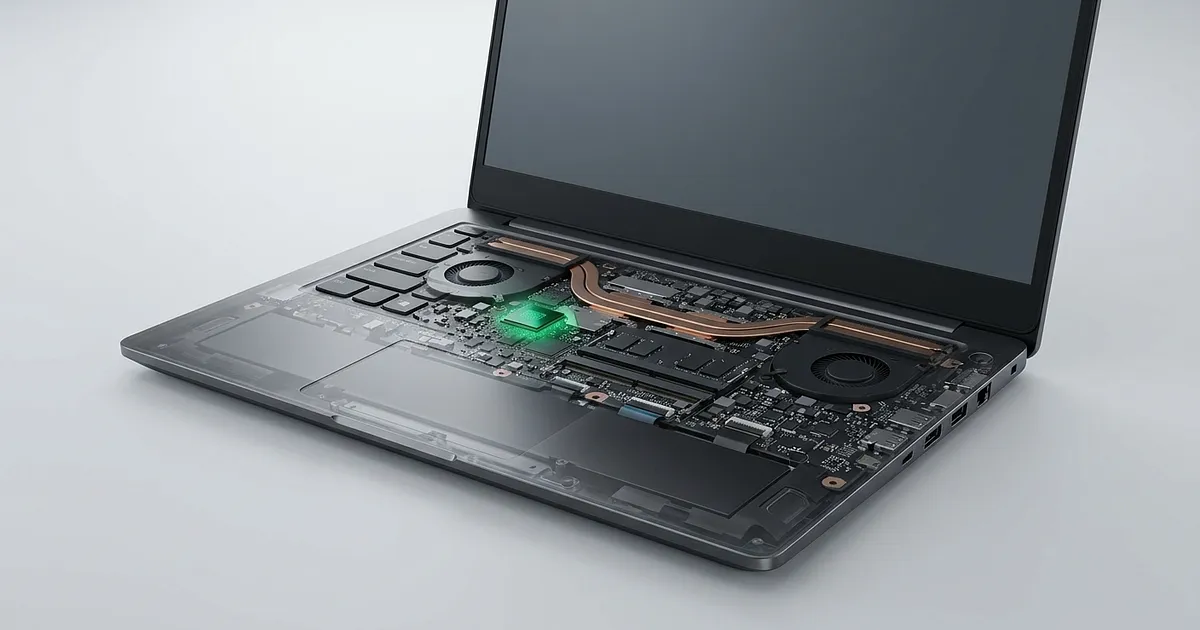
TPM stands for Trusted Platform Module. It's a security component that generates and stores cryptographic keys, for example for BitLocker drive encryption or for signing in with Windows Hello. Windows 11 requires version 2.0.
It comes in two forms. As a separate chip on the motherboard it's called a dTPM, a discrete TPM. In laptops, though, it often lives as firmware inside the processor itself. Intel calls this PTT (Platform Trust Technology), AMD calls it fTPM. Windows 11 treats both the same.
The catch with the firmware version? On plenty of older machines it's simply switched off in the BIOS. Windows then reports that it can't find a TPM, even though the hardware could provide one.
Why Microsoft insists on it was spelled out in June 2021 by David Weston, then Director of Enterprise and OS Security at Microsoft, on the Microsoft Security Blog: a modern hardware root of trust is meant to protect against common attacks like ransomware as well as far more sophisticated ones, right up to nation-state attackers. You could write that off as Microsoft being fussy. On a machine that belonged to someone else before you, and that you didn't set up yourself, we honestly think it's a pretty reasonable idea (and speaking of previous owners, we cover where these ex-lease returns actually come from in a separate piece).
How often the requirement actually bites shows up in an older but very large dataset. The IT asset platform Lansweeper analysed data from more than 10 million Windows devices, and Computerworld reported on it on April 13, 2022. The headline: 55% of those machines couldn't upgrade to Windows 11 at the time. TPM was one of the main reasons, either missing or disabled on 28% of devices.
Yes, those are 2022 numbers, not today's. But machines from exactly that era are now three to six years old and turning up as returns in the refurbished market.
Secure Boot: the other half of the security check
Secure Boot is a UEFI feature that only lets signed, trusted bootloaders run at startup. Microsoft requires a UEFI system that's Secure Boot capable. A laptop still booting in the old Legacy or CSM mode will often fail the compatibility check for that reason alone, even though the hardware could handle it. Usually that's a setting, not a defect.
What does Windows 11 require from a refurbished laptop?
Microsoft's official minimum requirements look pretty harmless at first. A processor with at least 1 GHz and two cores, 4 GB of RAM, 64 GB of storage, DirectX 12 graphics with a WDDM 2.0 driver, a display of 9 inches or more at 720p... yawn. Nearly every laptop from the last ten years clears those. Then come UEFI with Secure Boot capability and TPM 2.0.
In practice, buyers get stuck in two places. The first is TPM 2.0. The second is one easy-to-miss word in the processor requirement: the CPU has to be on Microsoft's list of supported processors. A fast chip that isn't on the list doesn't count.
A quick word on memory, even though it has nothing to do with TPM. 4 GB is the official minimum, and we wouldn't recommend it to anyone for an everyday laptop. We'd call 8 GB the floor, and 16 GB is where things get comfortable. For more on memory, battery and display, see our refurbished laptop buying guide.
Which processors does Windows 11 not support?
With a refurbished laptop, Windows 11 compatibility usually comes down to the CPU generation, not how the machine looks or feels. Roughly speaking, Intel processors older than the 8th Core generation and AMD Ryzen chips older than the 2000 series are out, with a few exceptions. And with AMD, even the series number isn't a reliable rule of thumb.
Microsoft keeps separate lists for Intel processors and for AMD processors. The generation alone doesn't tell you enough, because supported and unsupported models sit side by side within the same series. A few examples that show up in the secondhand market all the time:
| Processor | Examples | Officially supports Windows 11? |
|---|---|---|
| Intel Core, 7th gen | Core i5-7200U, Core i7-7700K | no |
| Intel Core, 8th gen | e.g. Core i5-8250U | yes |
| AMD Ryzen 2000, desktop (Zen+) | Ryzen 5 2600, Ryzen 7 2700X | yes |
| AMD Ryzen 2000, mobile ("Raven Ridge") | Ryzen 5 2500U, Ryzen 7 2700U | no |
The bottom two rows are the nastier trap. A Ryzen 5 2500U sounds like the same generation as a Ryzen 5 2600, and it still isn't on Microsoft's list. If you go into an AMD laptop purchase thinking "Ryzen 2000, should be fine", you'll be wrong on exactly the mobile chips laptops use.
Intel draws the line just as hard. A 2017 business laptop with a 7th gen chip usually fails, while the near-identical 2018 refresh with an 8th gen chip usually passes. You can't tell them apart from the outside. You have to see the difference in the listing, as an exact model number.
One more heads-up, because it can confuse people who go and look things up. Microsoft maintains these lists per Windows version, and as far as we can tell, the newer versions are aimed mainly at manufacturers building new devices. So if an older generation is missing there, that doesn't automatically mean an existing machine is out. For a specific secondhand laptop, the result of the PC Health Check app is what counts in the end. More on that below.
A real example from our comparison
Right now our comparison lists a Microsoft Surface Pro 6 with an Intel Core i5, 8 GB of RAM and 256 GB of storage, in "sehr gut" (very good) condition according to asgoodasnew, for €269. The Surface Pro 6 launched in 2018 with 8th gen Intel processors, which puts it just on the right side of the line.
This listing also shows exactly what we're getting at, though. The title only says "Intel Core i5", no model number. You can't tell from the title whether Windows 11 is already installed either, or whether the keyboard is included (on a Surface it's a separate accessory). In a case like this we'd drop the seller a quick message asking which exact chip is inside and what's installed. It costs you one email.
Can you add TPM 2.0 to a refurbished laptop?
Most "add TPM 2.0" guides show a small plug-in module that goes onto a pin header on the motherboard. That works, but only on some desktop PCs.
Quick answer: On a laptop, practically never. Add-on modules only exist for desktop motherboards with a matching TPM header. A laptop either has TPM from the factory, as a chip or as firmware inside the processor, or it simply doesn't.
The German tech publication heise.de put it bluntly in its guide to plug-in TPM modules. Translated from German: "We're not aware of any retrofit TPM cards for notebooks and mini PCs." Even on desktop boards it isn't standardised. According to heise, motherboard makers use at least three different versions of the header.
For us, that's the single most important sentence in this whole article. If you've read desktop guides before, it's easy to assume a missing TPM on a laptop can somehow be sorted out later too. It can't. The only lever you have is switching on the firmware version in the BIOS, and that only helps if the processor has one and is itself on Microsoft's list.
How do you enable TPM 2.0 in the BIOS?
The setting goes by different names depending on the manufacturer. "Intel PTT" or "AMD fTPM" are typical, and some brands call it "Security Device Support". You'll usually find it under the "Security" or "Advanced" tab. Switch it on, save, restart. Afterwards, the TPM Management console (press the Windows key, type tpm.msc) should show 2.0 as the specification version.
With a secondhand machine there's one more question people tend to forget: is there a BIOS password set? If the previous owner or their employer set one and it wasn't removed during refurbishment, you won't get anywhere near that setting. We'd simply ask about it before buying.
Installing Windows 11 without TPM 2.0: what's the problem?
Technically, it works. With tools like Rufus or a registry tweak, you can install Windows 11 on hardware that doesn't meet the requirements. For a laptop you plan to use every day, we'd still advise against it.
The reason is simple. Microsoft doesn't guarantee updates for installs on unsupported hardware. Maybe they keep arriving for now, but the next big feature update might just stall. Then you're right back where you started with Windows 10, only with more tinkering.
It gets properly unpleasant when you don't even know about it. Buyer forums like the Windows 11 Forum explicitly warn that some refurbishers use bypass methods to put Windows 11 on machines that aren't officially compatible. The listing then says "Windows 11 installed". Which is true. Just not in the way you'd assume.
We can't put a number on how often that happens. The fact that it happens at all is reason enough for us to always double-check the CPU model ourselves. On machines installed this way, Windows 11 usually displays a notice that system requirements aren't met, in Settings for example. If you see it, you know.
What should you check before buying a refurbished laptop for Windows 11?
Short version: check the processor model against Microsoft's list, get the seller to confirm TPM 2.0, and run PC Health Check after unboxing while you can still return it. Here's the longer list, pulled together from everything above.
The exact CPU name. Not "Core i5" but something like "Core i5-8350U". If it isn't in the listing, ask. Personally, we wouldn't buy a Windows laptop without the model number.
Then look that number up on Microsoft's Intel or AMD list. Takes two minutes, honestly.
Get TPM 2.0 confirmed, ideally with a screenshot of TPM Management or PC Health Check. Reputable sellers won't mind.
In System Information (
msinfo32), you want "BIOS Mode: UEFI" and "Secure Boot State: On". A screenshot works here too.BIOS password? Ask. Sounds paranoid, but it's a real pain if you get caught out.
Which version of Windows is installed, and is it activated? "Windows 11 Pro" in the title is a good sign, but only alongside the first three points.
And then the usual stuff that has nothing to do with Windows: battery, condition, warranty and return window.
Some marketplaces, Back Market for instance, advertise that they check Windows laptops for TPM 2.0 before listing them. That's the platform's own claim, not an independent check, and marketplaces host lots of individual sellers. Treat it as a plus, not a substitute for point 1. We compare how open the big platforms are about details like this in our look at the best refurbished providers in Germany.
How do you find out if a laptop is Windows 11 compatible?
With Microsoft's free PC Health Check app. It checks the processor, TPM, Secure Boot and storage in one go and tells you plainly whether the machine meets the requirements.
Microsoft walks through it in its guide on how to use the PC Health Check app. The catch for buyers: you need the device in your hands. That's why this test belongs in the first few days after delivery, while you still have the 14-day right of withdrawal that EU law gives you on online purchases. If the laptop fails, it goes back. Done.
What does a safe purchase of a refurbished laptop with Windows 11 look like?
After all those warnings, here's the relaxed side. A refurbished laptop that shipped from the factory with Windows 11 already has TPM 2.0 and a supported CPU. Nothing to sweat there.
An honest note about our own comparison: on the Windows side, it currently lists mostly Surface Pro 2-in-1s from asgoodasnew. Traditional clamshell laptops from Dell, Lenovo or HP aren't listed at the moment. (Prices below: as of September 28, 2026, and can change with the seller at any time.) The Surfaces still work as an illustration of what a no-drama listing looks like.
Surface Pro 10: pricey, but no compatibility drama
Asgoodasnew wants €1,199 for a Microsoft Surface Pro 10 with a Core Ultra 7 and 16 GB of RAM in "wie neu" (like new) condition, and Windows 11 Pro right there in the listing title. That's a lot of money for a secondhand device, no question. But the processor generation is unambiguous, and Windows 11 won't be the problem here.
Surface Pro 11: Snapdragon instead of Intel
For €1,049 you get a Microsoft Surface Pro 11 with a Snapdragon X Elite, 16 GB of RAM and 1 TB of storage, also like-new, Windows 11 Home already on it per the title. Mid-pack on price, but unlike the Pro 10, this one's worth a second look at the chip.
A small detour, because it's about compatibility too, just from a different angle. Snapdragon chips are ARM processors. Windows 11 runs on them officially, and a lot of traditional software runs through emulation. Some older drivers can still cause trouble, for aging printers or scanners for example, and games with certain anti-cheat systems are known to act up. If you absolutely depend on something like that, check with its maker first. Nothing to do with TPM. Just as annoying day to day, though.
Surface Pro 12-inch (2025): the entry point
Your cheapest way in right now is a Microsoft Surface Pro 12-inch (2025) with a Snapdragon X Plus and 512 GB of storage, €779, also like new. Compatibility-wise it's the same story as the Pro 11. The catch isn't Windows 11, at most it's ARM drivers.
What about the old laptop that can't run Windows 11?
The US consumer group PIRG estimates that around 400 million PCs worldwide don't meet Windows 11's requirements. That's an estimate, not a count. But the scale makes it pretty clear why this is also an e-waste issue.
A laptop with a 7th gen Core i5 isn't broken. It just fell off Microsoft's list. With a Linux distribution like Linux Mint, a machine like that often stays useful for years, as a second computer or for the kids. As a Windows machine, one like that is done for us. To repurpose or give away, sure. Keeping your own and switching it over? Could be a good call. And if not, our piece on disposing of old devices covers what makes the most sense.
Before you click buy
A refurbished laptop with Windows 11 is a genuinely good idea. Cheaper than new, less waste. And a properly refurbished business laptop often outlasts a cheap new one. It just has to be running an official Windows 11.
Our take, no diplomacy: a listing without the exact CPU name isn't an offer, it's a gamble. Ask, check the number, and if the seller gets cagey, move on to the next one. You'll find current prices for Windows devices in the Refurbito comparison, and whether a newer model is worth the extra is your call. With Windows 11, we'd rather buy a year newer than save a hundred euros.
Frequently Asked Questions
What is TPM 2.0?
TPM 2.0 is a security component that generates and protects cryptographic keys, for example for BitLocker and Windows Hello. It's either a separate chip on the motherboard or firmware inside the processor (Intel PTT, AMD fTPM). Windows 11 officially requires it.
Can you add TPM 2.0 to a used laptop?
Practically, no. Add-on modules only exist for some desktop motherboards with a TPM header, and heise.de says it knows of none for laptops. The most you can do is switch on an existing firmware TPM in the BIOS, and that only helps if the processor is also on Microsoft's list.
What are the downsides of running Windows 11 without TPM 2.0?
Microsoft doesn't guarantee updates for installs on unsupported hardware. Security updates may stop at some point, and major feature updates often only install by bypassing the checks again. For an everyday machine, we don't think that's a good foundation.
Do I need to enable Secure Boot myself on a refurbished laptop?
Often not, since machines that shipped with Windows 11 usually have Secure Boot switched on. If the BIOS was reset during refurbishment, or the laptop boots in Legacy or CSM mode, you'll need to turn on UEFI and Secure Boot in the BIOS. You can check it in System Information under "Secure Boot State".
Is it enough if the listing says "Windows 11"?
No. Windows 11 can be installed on incompatible hardware using bypass methods. Go by the exact processor name and a confirmation of TPM 2.0 instead, and test the laptop with PC Health Check after delivery while you can still return it. On machines set up this way, Windows usually shows a notice under Windows Update saying system requirements aren't met.
Sources
- Microsoft's own end-of-support page support.microsoft.com
- StatCounter gs.statcounter.com
- Stiftung Warentest test.de
- Microsoft Security Blog microsoft.com
- Computerworld reported on it on April 13, 2022 computerworld.com
- official minimum requirements microsoft.com
- for Intel processors learn.microsoft.com
- for AMD processors learn.microsoft.com
- heise.de heise.de
- Windows 11 Forum elevenforum.com
- Back Market backmarket.com
- how to use the PC Health Check app support.microsoft.com
- PIRG pirg.org