Buying a Refurbished Projector: Check Lamp Hours First
 14 min read
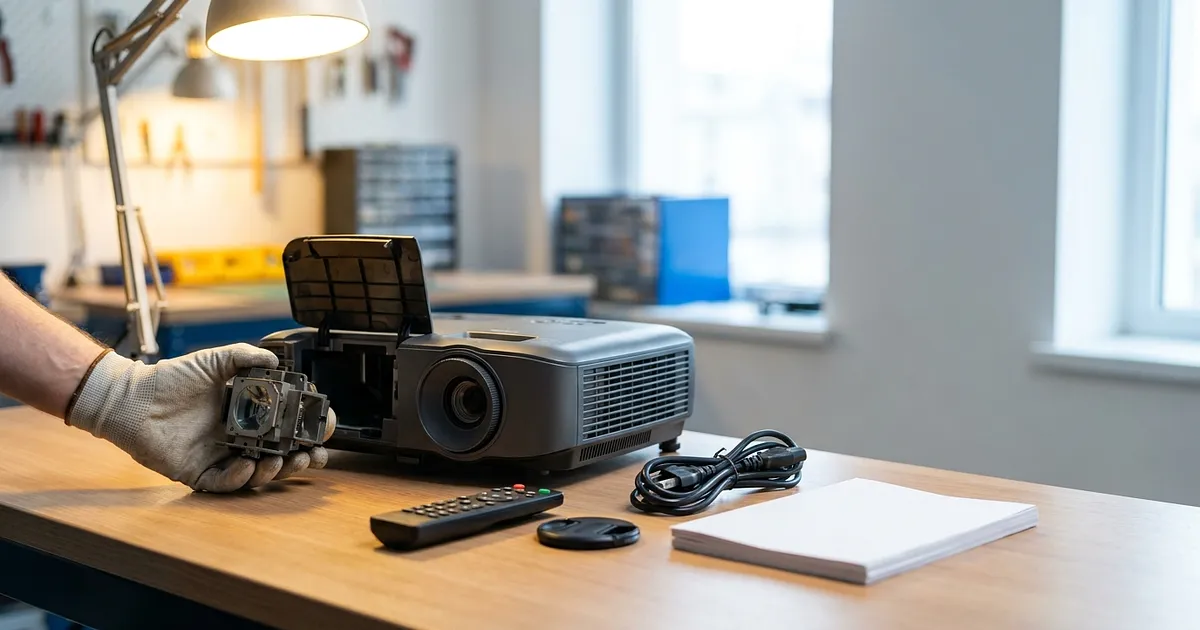
A refurbished projector priced at €250 can cost more than the €430 alternative. The cheap unit may need a lamp straight away, its advertised "4K" might describe only the signal accepted over HDMI, or its exact original lamp assembly may no longer be easy to source. So the sticker price is a poor comparison on its own. You need traceable operating data, the real display resolution, and a budget for the whole machine.
Identify the exact model before comparing prices
"Epson 4K projector" isn't a useful model number. A different regional suffix can mean different connections, wireless hardware, or replacement parts. Ask for a clear photo of the rating label. The full model code and serial number should be readable. Then find the official manual rather than relying on a reseller's short specification table.
Fussy? Yes. Also cheap insurance.
The manual shows where to find operating hours, which lamp modes exist, the native resolution, and the correct replacement assembly. A refurbisher's listing should also explain what was inspected or replaced. Private sellers may supply that detail only when asked. Refurbito's guide to refurbished versus used devices explains the broader difference between those buying routes.
Try to collect these items before a visit or an order:
A rating-label photo with the complete model designation
A photo or short video of the projector running with its information menu open
An invoice if the seller says the lamp was replaced
A precise list of included items, such as remote, power lead, lens cap, and mount
Return terms, statutory warranty details, and any voluntary warranty
A grade such as "Very Good" mainly reflects a seller's definition. It doesn't replace technical evidence. For a retailer or marketplace listing, also establish who your contract partner is. That determines whom you contact if the projector develops a fault.
A useful seller description can be checked
"Lightly used" and "plenty of lamp life left" tell you almost nothing. A better history is specific: full model, 1,420 displayed hours, a lamp replacement documented on a named date, the matching part number, and a timer reset after the work. That still can't promise future service life. It does make the account more credible.
Missing paperwork doesn't prove dishonesty. An earlier owner may simply have lost it. For comparison purposes, write "lamp replacement not verified" and price the uncertainty. That's fairer than accusing anyone of manipulating the timer.
Lamp hours aren't an odometer
A lamp timer is evidence, not a tamper-proof record of total projector use. The official Epson Home Cinema 3200/3800 manual lets the owner reset the timer after replacing the lamp. Epson explicitly warns against resetting it without a replacement because the usage information would become inaccurate. A low figure can therefore mean light use, a genuine new lamp, or a reset on its own.
The timer doesn't cover the whole projector either. Fans, power supplies, colour wheels, LCD panels, the DMD, filters, and other electronics age independently. A projector can have a fresh lamp after years in a dusty meeting room.
Operating mode changes the calculation
A lamp-life rating only means something when you know which mode it refers to. That Epson manual gives roughly 3,500 hours in High, 4,000 in Medium, and 5,000 in Eco for one model family. BenQ's W2700 specification lists 4,000 hours in Normal, 10,000 in Eco, and 15,000 in SmartEco. These are documented model examples, not universal thresholds for used projectors.
A reading of 2,000 hours means little without the mode history. Even with that history, subtracting the reading from the rating won't predict failure. Heat, dust, switching cycles, and usage conditions all matter. Epson also says brightness declines over time.
A defensible calculation is narrower. You can state the displayed hours as a share of one nominal mode rating. If the timer shows 1,500 hours against a 5,000-hour Eco rating, it equals 30% of that rating. Stop there. Claiming "3,500 guaranteed hours left" would be fiction.
What to inspect while it runs
A ten-second cold start isn't enough. Let the projector warm up while watching for brightness flicker, warning lights, spontaneous shutdowns, and grinding or unusually loud fan noise. A full white image can expose dust blobs and discolouration. Black helps reveal bright points and uneven patches. Solid red, green, and blue screens make some colour faults easier to see.
With DLP, your own vision matters too. Some viewers notice brief coloured fringes around high-contrast objects, often called the rainbow effect. Lamp hours won't predict your sensitivity to it. If you know it bothers you, a useful return period is worth more than an impressively low timer. Before ordering online, check how returns and return shipping for refurbished goods work in practice.
Don't open a hot lamp compartment or the projector housing. Epson's documented lamp procedure requires at least one hour of cooling and warns about loose glass from a broken lamp. A buying check needs the menu, picture, sound, and records. High-voltage work belongs with the model manual or a qualified service shop.
Native resolution versus "supports 4K"
Resolution needs separate fields, not one marketing badge:
| Field to record | What it describes | Common mistake |
|---|---|---|
| Native resolution | The physical imaging architecture of the panel or DMD | Confused with an accepted input |
| Supported signal | Formats the HDMI electronics can receive | "4K input" becomes "native 4K" |
| Display method | Native mapping, scaling, or pixel shifting | Every time-shifted method gets dismissed together |
| Refresh rate and copy protection | Which source and port combinations work | One "4K" tick is expected to cover everything |
This isn't an academic distinction. Epson calls the Home Cinema 3200/3800 native 1080p in its manual while listing 3840 x 2160 and 4096 x 2160 as compatible input signals. It can receive a 4K source without containing a native 3840 x 2160 imaging panel.
The Epson EH-TW7000 specification separately lists 2,073,600 pixels, or 1920 x 1080, per panel and "4K enhancement." Your comparison should preserve both facts. Neither should overwrite the other.
Pixel shifting isn't merely accepting and scaling an input
The opposite shortcut is unhelpful too. Calling every pixel-shifting design "fake 4K" conceals how the image is produced. In its DLP display-system guide, Texas Instruments explains how an optical actuator can create two or four offset on-screen positions from one micromirror. That's different from simply receiving a larger signal and scaling it down.
For each listing, write three short lines:
- Native imager: the exact manufacturer value.
- Accepts: the HDMI formats and refresh rates that matter to your source.
- Displays via: native mapping, enhancement, or pixel shift, where documented.
If a reliable source doesn't answer one line, mark it "not verified." A retailer's title isn't a substitute for the manual.
Resolution doesn't decide picture quality on its own
An older office projector may be bright but irritatingly loud for films. A portable Full HD unit may struggle in a bright living room. Short-throw models are sensitive to wall irregularities and need suitable placement geometry. Throw distance, zoom, lens shift, connection versions, HDCP support, and fan noise remain model-specific checks.
One overlooked detail: a missing original remote can be more than cosmetic. Some projectors make certain picture or installation settings awkward, or impossible, to reach from the chassis controls. Check whether a cheap replacement remote really exposes every required button before counting it as equivalent.
Match the replacement lamp by exact part number
"Lamps are available online" isn't an availability check. You need the assembly specified for the complete model and its regional variant. For the Epson EH-TW7000, for example, Epson identifies ELPLP85 and part number V13H010L85. That code is far more useful than searching for "Epson projector lamp."
ProjectorCentral's lamp directory searches by projector brand, model, and lamp ID, and distinguishes original OEM products from cheaper third-party lamps. It is a useful starting point, but the code still has to match the manufacturer's documentation. Stock and price need a new, dated check for every actual listing. No current lamp price appears here because the research found no reliable live German quote.
These offers aren't interchangeable:
A complete original assembly supplied or specified by the projector manufacturer
A third-party assembly containing a named branded bulb
A generic complete housing of unclear origin
A bare bulb that requires transfer into the old housing
That final option isn't a casual money-saving tip. Lamp housings get hot, projector internals involve high voltage, and damaged lamps can release glass. If you can't locate the exact original assembly, write "availability not verified." That creates a service and parts risk. It doesn't prove the projector is unusable.
LED and laser require a different check
The conventional replacement-lamp calculation usually doesn't fit a solid-state light source. The official BenQ GV31 specification lists an LED source rated at 20,000 hours in Normal and 30,000 in Eco, but it doesn't list a replacement-lamp part number. This doesn't prove that no component can ever be repaired. It means a routine owner lamp swap isn't documented as the replacement path.
For an LED or laser model, the useful evidence is total projector or light-source hours if the menu exposes them, previous service, image uniformity, heat behaviour, and the repair route. A nominal manufacturer rating describes the model under stated conditions. It can't tell you how long one used unit will continue working.
DLP and LCD describe imaging systems. Lamp, LED, and laser describe light sources. Those are separate categories. A DLP projector may use a conventional lamp or a solid-state source, so "DLP" alone tells you nothing about its replacement-lamp plan.
Calculate total cost, not the asking price
A comparison budget should contain more than the listing figure:
Comparison budget = purchase price + immediate lamp assembly or service + filters and accessories + electricity + risk allowance
The risk allowance is your assumption, not a market statistic. Put it on its own line and explain why it is zero, modest, or substantial. A dealer unit with returns and documented service may carry less uncertainty than a private sale with no demonstration. Legal rights and a voluntary warranty still need separate treatment. Refurbito's guide to warranty and statutory warranty on refurbished goods covers that distinction.
Electricity is straightforward to model. Divide watts by 1,000, multiply by hours of use, then apply your own tariff. The U.S. Energy Information Administration explains the same conversion. Compare figures measured or specified under equivalent modes. One model's typical draw and another model's peak draw don't make a fair pair.
Two explicitly hypothetical listings
Suppose a lamp projector costs €280 and shows 2,900 hours. Its manual rates the lamp at 3,500 hours in High and 5,000 in Eco. The seller doesn't know which mode dominated and has no replacement invoice. For this teaching example only, assume an exact original assembly would cost €160 delivered after a current stock check.
The naive comparison price is €280. A cautious budget is €440 before electricity and accessories. That doesn't mean 600 or 2,100 hours remain. The €160 is also not a current market quote. Replace it with a dated offer or remove it from your own worksheet.
A second example compares documented power inputs, not equal picture quality. At 500 hours per year for four years, use totals 2,000 hours. A hypothetical 330 W lamp candidate consumes 660 kWh by specification arithmetic, while a 45 W LED candidate consumes 90 kWh. Multiply the 570 kWh difference by your tariff. Brightness, intended use, and measured wall consumption remain unresolved.
Worksheet for two candidates
| Check | Candidate A | Candidate B |
|---|---|---|
| Exact model and regional suffix | ||
| Refurbished, open-box, or privately used | ||
| Light source | ||
| Displayed hours | ||
| Reset or service documented | ||
| Manufacturer rating by mode | ||
| Native resolution | ||
| Accepted input signals | ||
| Display method or pixel shifting | ||
| Original assembly and part number | ||
| Availability and date checked | ||
| Comparable-mode power figure | ||
| Remote, leads, cap, and mount | ||
| Returns and warranty terms | ||
| Total comparison budget |
If a dealer-supplied projector arrives with a technical fault, follow a documented sequence rather than taking it apart. Refurbito's guide to reporting a defective refurbished device explains that order. Photos of the rating label, information menu, and first test image help both before purchase and during a complaint.
Refurbished projector checks in a sensible order
If you plan to buy a used projector, check the evidence in this order:
- Copy the complete model and regional suffix from the rating label.
- Save the official manual and manufacturer specification.
- Get a current image of the information menu, hours, and warning status.
- Count a lamp change only when a matching invoice or credible record supports it.
- Record native resolution, accepted signal, and display method separately.
- For lamp models, verify the exact assembly number and dated availability.
- For LED or laser, establish the service route instead of inventing a replaceable lamp.
- Check a warmed-up picture with white, black, and solid colours, then listen to the fan and test the ports.
- Add missing accessories and return terms to the comparison budget.
- Compare total budgets before negotiating over the asking price.
A seller doesn't need to know every technical answer from memory. They should be willing to show the rating label, menu, and a running image. If those specific pieces of evidence never appear, that isn't proof of a fault. It's a reason to price the uncertainty or keep looking.
Frequently Asked Questions
How many lamp hours are acceptable on a used projector?
There is no universal threshold. Compare the timer with the manufacturer's figure for the relevant mode and check whether a reset or lamp replacement has supporting records. The displayed number can't reliably predict remaining life.
Can a projector lamp timer be reset?
Some can. Epson, for example, documents a reset after lamp replacement. A low number therefore proves neither low total use nor a new lamp. Ask for the invoice, exact part number, and service history.
What does native projector resolution mean?
Native resolution describes the projector's imaging hardware. A model may accept a 4K signal over HDMI and map it to another resolution. Pixel shifting is a separate display method and should be recorded independently.
Does an LED or laser projector need a replacement lamp?
It usually has no conventional owner-replaceable lamp. The light source is integrated into the projector. Check operating time, image uniformity, service history, repair options, and warranty instead of searching for a generic lamp assembly.
Is open-box stock the same as refurbished?
No. Open-box stock may be a return or have damaged packaging, while refurbished normally implies inspection or reconditioning. The seller's exact definition, testing process, condition, returns, and warranty terms matter more than the label alone.