Refurbished laptop checklist: hinges, case, ports and touchpad in ten minutes
 4 min read
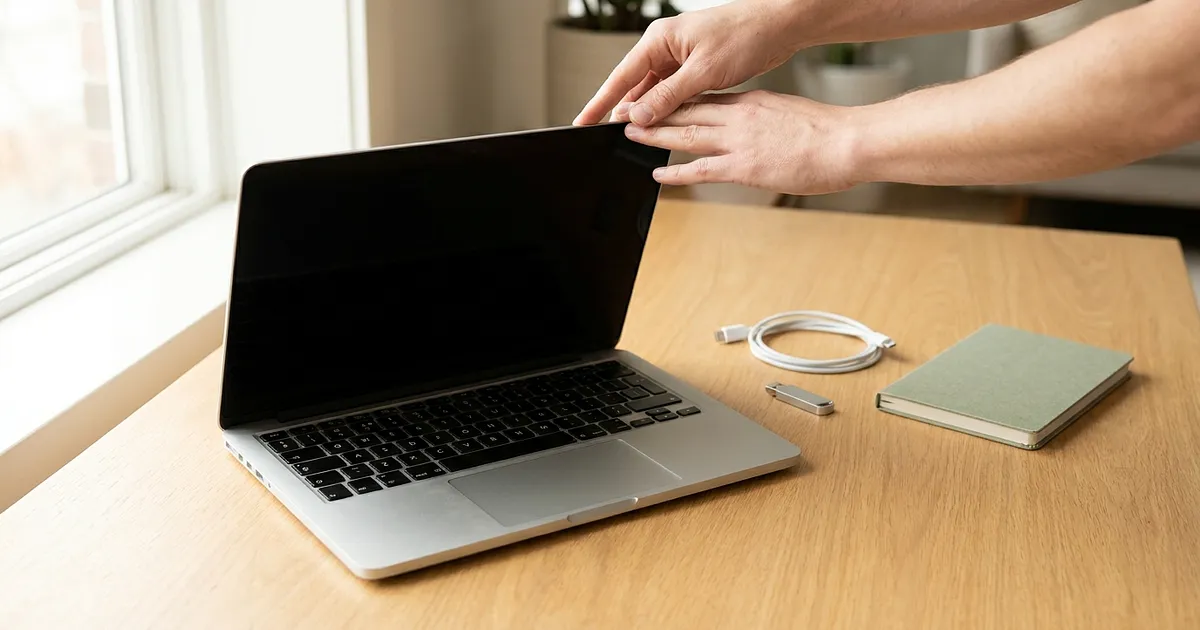
This refurbished laptop checklist takes about ten minutes, not an afternoon. Do it on the day the box arrives, before any deadline gets tight.
If you poke around at random, you'll skip the one port on the back left, and you'll often notice only weeks later. So here's a sequence you can tick off to check a used laptop.
Read the condition grade first
Before you touch the case, open your order and look up the grade you bought. Quotes from German-language sources are our translations, and the Refurbed, asgoodasnew, Microsoft and Apple links lead to German-language pages.
According to Refurbed, large products such as laptops graded "Good" may show "clear signs of use", such as scratches and/or dents in rarely visible places. Every Refurbed grade is also labelled "works like new" (both as of 9 Nov 2026). asgoodasnew describes the case at "Good" as "visible signs of use, scratches and dents" (as of 9 Nov 2026).
A dent on the underside fits a description like that. A wobbly hinge appears in neither. What each grade means at each platform is covered in our condition grades comparison for Refurbed, Back Market and rebuy.
The refurbished laptop checklist, in order
- Case and hinges. To test the hinges, open and close the lid slowly. Does the screen hold in every position, or does it sag? Any creaking, any crack near a hinge? Compare scratches and dents to the grade description, not to your gut feeling.
- Ports. The easiest way to test USB ports is with a device you know works, like a USB stick. Nothing happens? Try a different port. Microsoft also suggests plugging the device into another USB port when it isn't recognised.
- Display and keyboard. Switch the screen on, look for dead pixels and scratches, then press every key once.
- Touchpad. Run a finger across the whole surface right to the edges and click both left and right.
- Camera. Microsoft recommends opening the Camera app and checking whether the preview works. Black screen? Check camera access in the privacy settings too; Microsoft lists that step as well.
- Fan and heat. Play a video, open a few tabs, and listen. Grinding and clicking aren't listed as signs of use in either description above, and neither is an underside that gets noticeably hot.
On a Mac you can also run Apple Diagnostics. According to Apple, it shows "which hardware component may be faulty" (Apple page dated 23 Dec 2025).
Don't send the box to the recycling just yet. If the laptop goes back, it's the first thing you'll look for.
Photos, not memory
Take a photo or a short video at every step, and film the hinge while it moves. If something doesn't match the description, our guide on what to do when a refurbished device arrives defective walks you through the steps.
As for the deadline, § 355(2) of the German Civil Code (BGB) says: "The withdrawal period is 14 days. It begins at the conclusion of the contract, unless otherwise provided." For a sale of consumer goods, § 356(2) no. 1 a) BGB starts it "as soon as the consumer … has received the goods" (special cases: letters b to d). A return period your retailer sets itself is stated on its own site. Who pays for return shipping is covered in our post on 14-day returns and return shipping costs.
If you haven't bought yet, start with the refurbished laptop buying guide, then work through this refurbished laptop checklist on delivery day.
Frequently Asked Questions
What do I check first on a refurbished laptop?
The condition grade in your order, then the case and hinges. That way you see which scratches the retailer says come with that grade before you judge them.
Which signs of use do retailers list for "Good"?
Each retailer sets that itself. Refurbed lists clear signs of use such as scratches and/or dents in rarely visible places for laptops at "Good", and asgoodasnew lists visible signs of use, scratches and dents on the case (as of 9 Nov 2026). By those descriptions, a dead port or a wobbly hinge is a function question, not a sign of use.
How long do I have to return it?
The withdrawal period is 14 days under § 355(2) BGB and, for a sale of consumer goods, starts under § 356(2) no. 1 a) BGB once you have received the goods (the law regulates special cases). A return period your retailer sets itself is stated on its site, so check it on delivery day.
Sources
- Refurbed refurbed.de
- asgoodasnew asgoodasnew.de
- Microsoft also suggests plugging the device into another USB port support.microsoft.com
- Camera app and checking whether the preview works support.microsoft.com
- Apple Diagnostics support.apple.com
- § 355(2) of the German Civil Code (BGB) gesetze-im-internet.de
- § 356(2) no. 1 a) BGB gesetze-im-internet.de